Roger
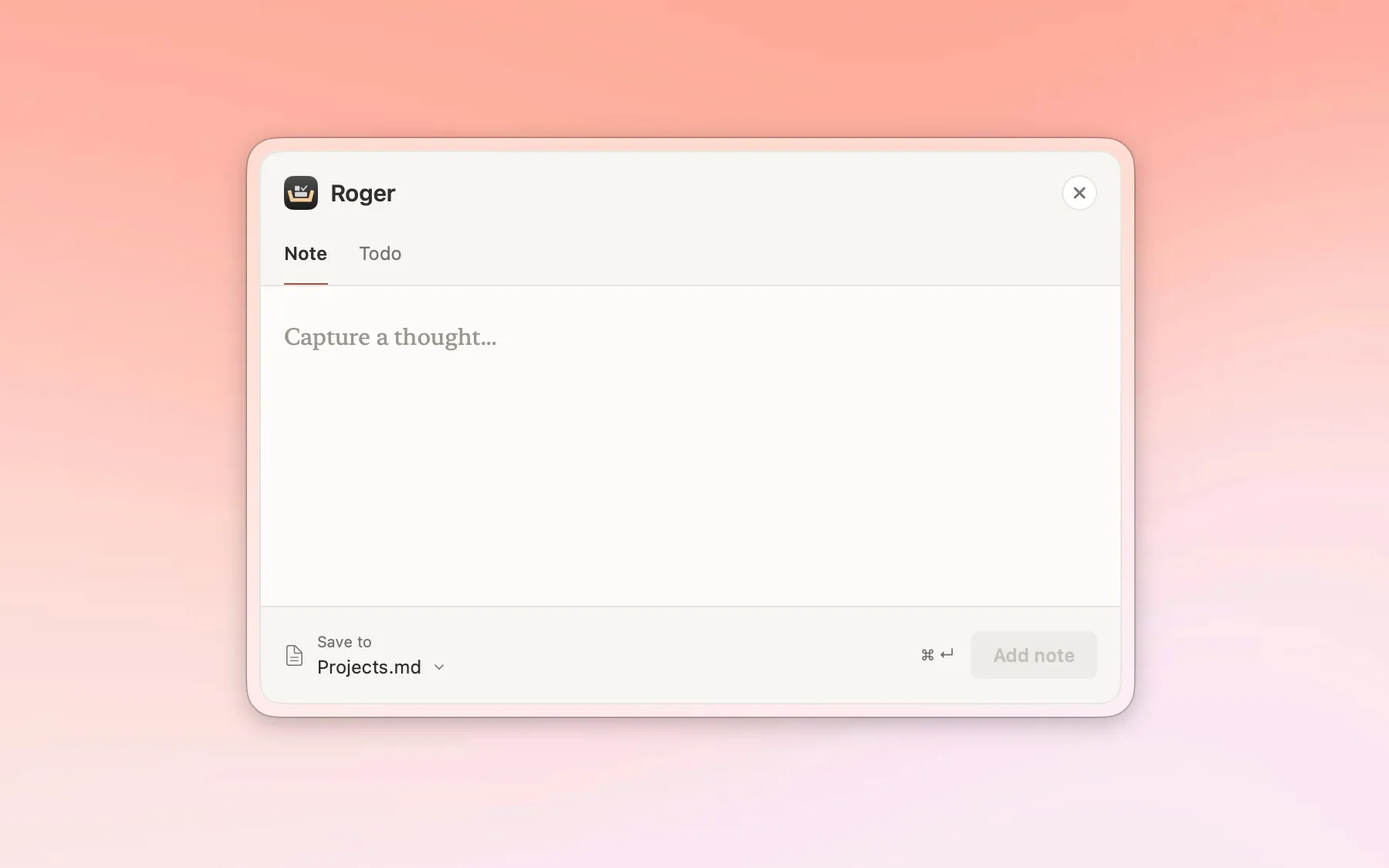
A quick-capture app for macOS. Write the thought down, get back to work.
- Role
- Product owner, designer, builder
- Client
- Own product
- Year
- 2026
- Scope
- User research
- Interaction design
- Prototyping
- Development
- Status
- In beta testing
An idea shows up in the middle of something else. Roger gives it somewhere to go without making you leave what you’re doing: press a shortcut, type, press another shortcut, and the window is gone. The note is saved as Markdown, either as a file of its own or added to one you already have, so Obsidian and similar apps pick it up. Anything you haven’t saved stays in the window, so a half-written thought isn’t lost by accident.
The problem
You’re halfway through writing a report when an idea for something else entirely shows up. In Obsidian, writing it down takes four steps: switch to the app, create a note, give it a heading, and only then type the idea itself. By the time you’re back in the report, the sentence you were writing is gone. The small things cost the same: remembering to book the dentist means finding your to-do list and the right place in it, while the report waits.
Roger is for people who already keep their notes and to-do lists in Markdown apps like Obsidian. They don’t need another note app. They need a faster way in.
It started as my own itch. Then I described it to a friend, who recognized it right away, and Roger stopped being a tool for me and became a product for people like us.
Research
I interviewed five people over video calls about how they write down notes and to-dos: where things go, what frustrates them, and what’s missing from their routine.
The clearest finding was that no two people did it the same way. Where notes end up, how to-dos are kept, how much structure they want: every routine was different. That changed the brief. Roger couldn’t be built around one way of working. It had to fit into each person’s own.
From findings to requirements
Six requirements came out of the interviews and, later, the usability tests:
- As little distraction as possible. Open, type, save, gone.
- Shortcuts and clicks. Opening and saving work both ways.
- A new file or an existing one. A note can be a file of its own or added to one you already have.
- Safe by default. Unsaved text stays in the window, so nothing is lost by accident.
- Plain Markdown. It works with most Markdown editors, not only Obsidian.
- Feedback you can adjust. People wanted different amounts of feedback from the small interactions, so things like how long the confirmation stays on screen are a setting.
Prototypes and testing
The first sketches were on paper, just enough to explain the idea to my friend. From there I explored it as a prototype in Figma, and then built a very simple first version in SwiftUI. It was nothing but the window: a text field, with the shortcuts for saving and closing listed in it. That was enough to put in front of people and find out what they actually needed.
Two rounds of usability testing followed. The first had six people. The second had eleven: the same six plus five new ones, so I could see both how the changes landed with people who knew the app and how it worked for someone seeing it for the first time.
The biggest change from testing was flexibility. The interviews had shown that everyone works differently, and testing showed where that mattered most. Users can now change the shortcuts, choose how and where notes and to-dos are saved, and set how long the confirmation stays on screen.

Key decisions and trade-offs
Small, not a dashboard
One user asked for Roger to become a full Markdown editor and to-do app, a dashboard for everything. I decided against it. Roger stays small and does one thing exactly, and it’s built to work as a part of the apps people already use rather than replacing them.
Native, not cross-platform
I built Roger in SwiftUI, as a native app that plays well with macOS. That means it only runs on a Mac, and I’ve given up a wider audience for now. I’d rather do that than use a cross-platform solution that might not run as efficiently, in an app whose whole point is to be quick and stay out of the way.
Your files, your folder
Roger saves notes wherever the user wants. That way people can back them up and sync them with iCloud or whatever cloud service they already use. It’s also part of why Roger works with plain Markdown files instead of keeping notes in a format of its own.
Status and what’s next
Roger has gone through several rounds of iteration with its testers and is now in a final beta before launch. What’s left is polish: the small details that decide whether a tool disappears into your day or gets in the way.