BreakTimer
A visual countdown for teachers during breaks in online sessions.
- Role
- Product owner, designer, builder
- Client
- Own product
- Year
- 2025
- Scope
- User research
- Interaction design
- Prototyping
- Development
- Status
- In testing
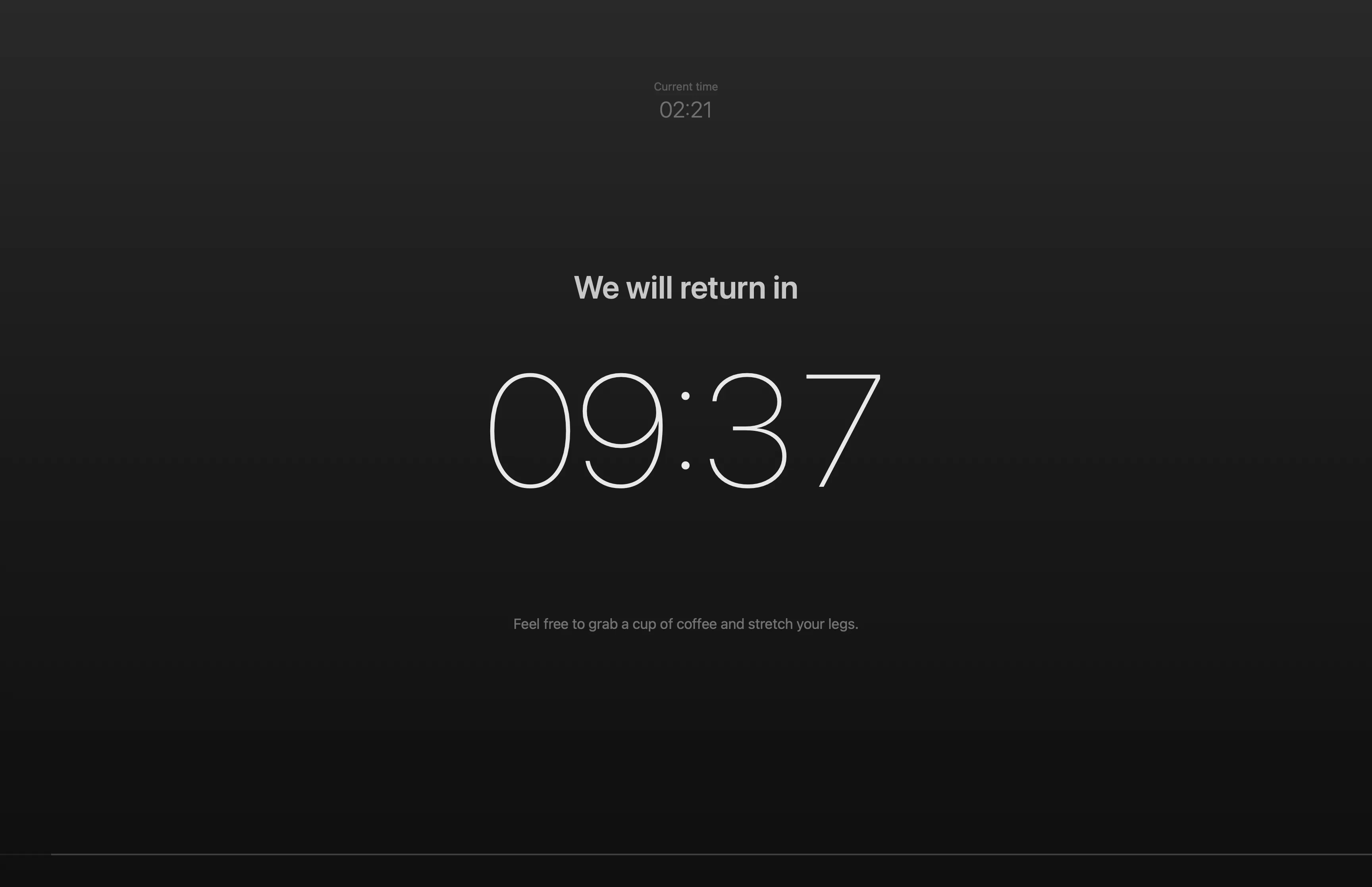
A break in an online session has a start, a length and an end, and the teacher is the one who has to keep track of all three. BreakTimer puts the break on screen for everyone, shared over Zoom or a similar tool: a countdown with the current time beside it. Students and teacher can both see how much time is left, so they know whether there’s time to grab another coffee or take a bathroom break, and the teacher doesn’t have to remember.
The problem
There are almost always one or two students who come back late from a break. The teacher can wait for them and lose time, or start without them, and neither is a good choice.
If you’re the teacher, you have a second problem: remembering exactly when the break started, how long it was meant to be, and when to start again. It’s a small thing, but it builds unnecessary stress into every break.
This project started with an offhand comment from a colleague who had misremembered when a break was over, and was a few minutes late back themselves. Others joined in about how stressful it can be. Recognizing myself in this, I began working on a solution the same evening.
Research
My research was informal: conversations with teachers about how they handle breaks today. The answers varied. Some try to remember the time, and others set a timer on their phone or smartwatch. Either way, the time is only on the teacher’s own phone or watch, and the students can’t see how much is left.
I focused on teachers in higher education who teach online. Along the way, people who run webinars, workshops and cohort-based courses have shown interest too, and even people who run workshops on stage.
From findings to requirements
BreakTimer needs to do these things:
- Your own break length. The app remembers it until next time.
- A preview in the settings. See what it will look like before the break starts.
- Your own shortcut. Start it without hunting for a button.
- Your own heading and labels. The words on screen fit your session.
- A message during and after. One while the countdown runs, another when it ends.
- A progress bar. How much of the break is left, at a glance.
- The current time next to the countdown. Both the time left and the time now.
Prototypes and testing
Visually the concept is simple, so I went straight to Figma to work out the composition and the relative sizes: how large the countdown is next to the heading, the message and the time.
BreakTimer is now used by eight teachers, and their feedback has already changed it: I added custom labels, messages and text. I plan to invite more teachers, to learn more and to grow the app with features based on what they need.
Key decisions and trade-offs
Native, and for me first
I built BreakTimer as a native macOS app, in SwiftUI. macOS is what I use, and it began as a small project to solve the problem for myself, not as a commercial idea. I also prefer native apps because they run efficiently. The trade-off is that it only runs on a Mac, which limits the user base through indirect exclusion.
A learning project
BreakTimer was the first SwiftUI app I started building myself, so it was as much about learning as about the product. I wrote code, guided by Claude, an AI assistant, and let Claude write the later parts. The decisions about what BreakTimer is and how it works were mine, in the role of both product owner and designer.
Status and what’s next
BreakTimer isn’t public yet. I’m working on an option to add your own branding, or your school’s or organization’s, along with a few other improvements. After that, I’ll invite more teachers, and the next features will come from what they need.